A viewer scrolls past your video ad in under three seconds. The hook is vague, the first shot looks like every other branded clip, and the script never gets a second chance. By the time the product appears, the audience has already moved on.
That's why a useful ad script example needs more than a catchy opening. It needs a clear job for every second, a platform-native delivery style, and a practical way to reuse footage you've already made. The seven structures below solve different problems, from stopping the scroll to building trust, demonstrating a workflow, or making a transformation obvious. Each includes a 6-second, 15-second, or 30-second cut, a platform adaptation, and a repurposing note for turning a longer YouTube video into short-form ads.
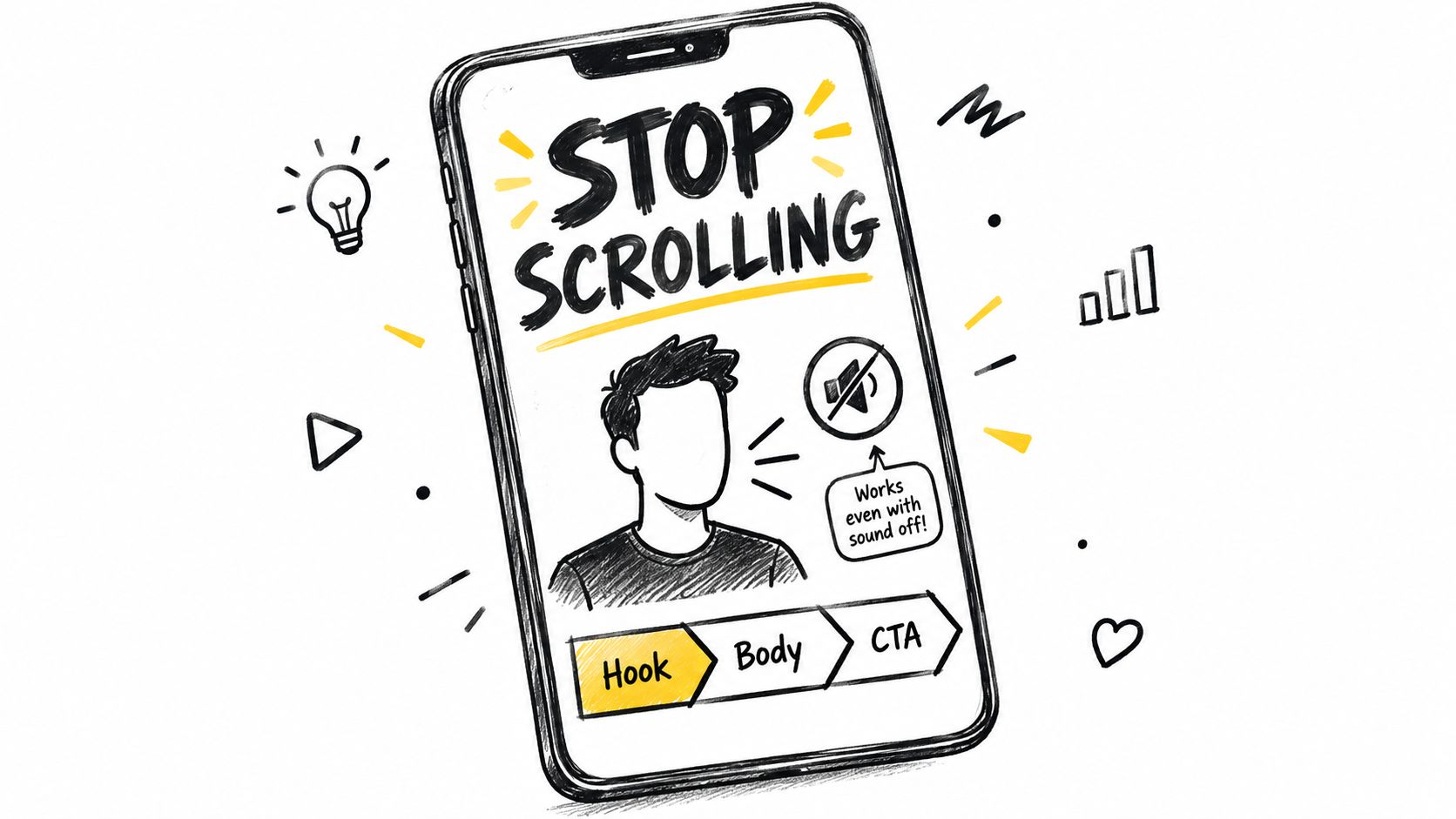
1. Hook-Body-CTA Short-Form Ad Script
This is the simplest structure to produce and one of the easiest to test. The opening earns attention with a bold claim, question, or visual interruption. The middle supplies one proof point or demonstration, and the final line gives the viewer one action to take.
For Yelly Nelly, a 15-second version could sound like this:
- 0 to 3 seconds: “I stopped spending my afternoon rewriting one video for every platform.”
- 4 to 11 seconds: Show a YouTube URL being turned into distinct LinkedIn, Instagram, and X posts. Add the caption, “One video, platform-native posts.”
- 12 to 15 seconds: “Paste your video and publish the week. Try Yelly Nelly.”
The 6-second cut should keep only the strongest visual and the offer: “One YouTube video. A week of posts. Publish in one click.” The 30-second cut can add a short screen recording and a sentence explaining that the system learns the creator's phrasing before writing.
Practical rule: Write several opening variations before changing the body. If the hook fails, a better CTA won't rescue the ad.
Put the spoken hook on screen too. Many viewers encounter short video without reliable audio, and the text must make sense without narration. If the video continues into an Instagram content workflow, pair it with a natural caption for an Instagram post, not a transcript pasted beneath the clip.
For TikTok, use a direct-to-camera opening and faster cuts. For YouTube Shorts, make the first frame readable before motion begins. To repurpose a long YouTube video, pull openings from the first moments of your strongest-retention videos, then pair each hook with a different proof clip. One lesson can produce a problem hook, a result hook, and a demonstration hook without changing the underlying offer.
2. Problem-Agitate-Solve Script
Problem-Agitate-Solve works when viewers already recognize the frustration. The script names the problem in the audience's language, briefly makes the cost of ignoring it feel real, then introduces the product as the resolution.
A 30-second productivity ad could run like this:
- 0 to 5 seconds: “You finish recording a video, then spend the afternoon copying captions into five apps.”
- 6 to 12 seconds: “By the time you're done, the energy from the original idea is gone, and distribution still feels unfinished.”
- 13 to 24 seconds: Show one video entering Yelly Nelly, followed by different posts for several networks.
- 25 to 30 seconds: “Turn the video into a week of posts from one screen. Start with Yelly Nelly.”
The 15-second version should compress the agitation to one sentence. The 6-second version is better for retargeting, with the problem and solution shown visually rather than explained.
Use language from customer reviews, support messages, and comments. “I keep posting in bursts” is stronger than “You need a more efficient content workflow” because it sounds like a real person describing the problem. Keep the agitation controlled. If the viewer spends too long in frustration, the product arrives too late.
For Facebook and Instagram, make the problem visible in the first frame, such as a desktop crowded with tabs. For LinkedIn, frame the issue as a distribution bottleneck for a founder or small marketing team. A long YouTube tutorial can supply the raw material: extract the moment where the speaker describes the workflow problem, then cut immediately to the section that demonstrates the fix.
The solve should appear as a visual action, not a promise floating over stock footage.
Avoid stacking several CTAs. “Watch the demo,” “sign up,” and “follow for more” create competing exits. Choose the action that matches the campaign objective and repeat it in the final frame.
3. Founder Story Ad Script
The founder has just rewritten another AI draft because it sounds polished, yet nothing like their own words. That problem moment gives the story a credible starting point. A founder-led ad works when personal experience explains why the product exists.
Build the 30-second cut around that turning point:
- 0 to 6 seconds: “I built Yelly Nelly because I kept skipping distribution after publishing a video.”
- 7 to 14 seconds: “The tools I tried generated polished posts, but they didn't sound like me, so I rewrote everything.”
- 15 to 24 seconds: Show the founder pasting a YouTube URL and reviewing drafts adapted for different platforms.
- 25 to 30 seconds: “Yelly Nelly learns your voice before it writes. Try it with your next video.”
The 15-second version keeps the personal frustration, then shows one product action. The 6-second cut can use the founder's line, “I built the tool I needed after every AI draft sounded wrong,” followed by the product name. Each version should retain the reason behind the product, even as the explanation gets shorter.
Founder credibility comes from specific experience, not a polished origin story.
Record the ad in the founder's regular room, at the usual desk, or within the same setup used for ongoing content. Natural pauses and ordinary phrasing make the delivery believable. A studio-style finish can remove the personality that makes the founder worth hearing.
For Instagram, use a close conversational frame, captions, and a quick product insert. On LinkedIn, connect the story to the operational cost of switching between tools. YouTube Shorts can show a sharper visual change between the founder speaking and platform-specific drafts appearing on screen.

AI can shape the narrative, but the founder must remain the source of the claims. Research from Ipsos testing of AI-generated advertising found that AI-created ads were generally credible and efficient, yet performed less strongly than human-created ads on emotional engagement and business outcomes. Give the writing tool genuine examples from your tone of voice guidelines, preserve distinctive vocabulary, and remove any claim the speaker would not naturally make.
For a long YouTube video, extract the personal turning point first, then cut to the product moment that answers it. That sequence makes a stronger short-form ad than a broad product introduction.
4. Before-and-After Transformation Script
Before-and-after scripts make value visible. They work particularly well when the audience can see the difference between a manual process and a finished result without needing a long explanation.
A 15-second software version might use this sequence:
- 0 to 3 seconds: Split screen. Left side shows a crowded workspace and multiple posting tabs. Right side stays blank.
- 4 to 7 seconds: “Before, one video meant rewriting and scheduling every post separately.”
- 8 to 12 seconds: Show a YouTube URL becoming different platform drafts, then show the review screen.
- 13 to 15 seconds: “After, approve the week from one screen.”
The 6-second cut needs one sharp contrast, such as a chaotic tab switch followed by a clean publishing screen. The 30-second cut can explain what changed in the workflow, but it should still spend more time on the after state than the before state.
Use real screen recordings, timers, or saved workflow steps where they support the claim. Don't rely on exaggerated language such as “the fastest tool ever.” State the observable change instead. Yelly Nelly's publisher information describes a workflow that can move from roughly 45 minutes of manual posting to about 30 seconds, so that claim can be used only when the ad accurately represents the relevant process.
For TikTok, make the transition physical and immediate, with the creator moving from a cluttered desk to a finished publishing screen. For Instagram Reels, use large labels such as “manual” and “one-screen review.” On LinkedIn, show the operational impact on a solo marketer or small team.
A long YouTube video can provide both halves. Use the speaker's explanation of the old workflow for the “before,” then cut to the clearest screen demonstration for the “after.” Make sure the two clips match in context, or viewers may interpret an edited comparison as a promise the product doesn't support.
5. UGC Testimonial Ad Script
A UGC testimonial should sound like a person sharing an experience, not an actor reciting brand copy. Give the creator a clear structure and a specific result, but leave room for their natural wording.
A 30-second script could follow this rhythm:
- 0 to 4 seconds: “I didn't expect a repurposing tool to sound like me.”
- 5 to 13 seconds: “Usually I'd get a generic caption, rewrite it, then lose momentum before posting.”
- 14 to 23 seconds: Show the creator reviewing drafts for LinkedIn and Instagram, with a before-and-after caption comparison.
- 24 to 30 seconds: “Now I paste the video, make a quick review, and schedule the posts. Try your next video with Yelly Nelly.”
The 15-second version should include the surprise, one specific experience, and the CTA. The 6-second version can use a reaction shot and a single sentence: “This finally sounds like something I'd post.”
Ask creators for an outline rather than a word-for-word script. They should disclose the relationship with the brand and use the relevant platform's branded-content tools. Keep the proof concrete, but don't force a result they can't verify. “I stopped rewriting every draft” is credible if it describes their actual experience. “This guarantees more sales” is not.
UGC works because the delivery feels personal. The moment it sounds memorized, it loses the advantage.
TikTok favors a casual phone recording, a strong first-person hook, and visible product use. Instagram can support a cleaner before-and-after caption comparison. For LinkedIn, a customer speaking about reduced administrative work may fit better than a lifestyle testimonial.
To repurpose a long YouTube interview or customer conversation, isolate a complete thought rather than cutting random praise. Add the customer's face, the product context, and captions that preserve their wording. One interview can yield separate clips for ease of use, voice quality, and publishing workflow, provided each ad makes one claim.
6. Demo-Led Product Walkthrough Script
A demo-led ad earns trust by showing the product doing one useful job. The common mistake is trying to tour every menu. Strong demos follow one workflow from input to outcome.
For Yelly Nelly, a 30-second walkthrough might read:
- 0 to 3 seconds: “Turn one YouTube video into a week of platform-native posts.”
- 4 to 9 seconds: Paste a YouTube URL and show the source video loading.
- 10 to 18 seconds: Show drafts that differ by network, with LinkedIn sounding professional, X sounding concise, and Instagram sounding conversational.
- 19 to 25 seconds: Select platforms, make a quick edit, and choose a schedule.
- 26 to 30 seconds: “Review once, then publish across your selected platforms.”
The 15-second cut should remove the explanation and keep the essential actions. The 6-second cut can show the URL entering the tool, a rapid sequence of outputs, and the final publishing action.
Record the interface at a readable scale. Speed up repetitive loading or scrolling, but leave the important action at normal speed so viewers can understand what happened. Captions should describe the action, not merely repeat the voiceover. “Paste video,” “review drafts,” and “schedule the week” are more useful than decorative text.
For YouTube Shorts, lead with the finished output before showing the input. For LinkedIn, emphasize the review and approval step, which matters to teams that need control over published copy. For Instagram or TikTok, use a faster vertical screen recording with the creator's reaction layered over the interface.
A longer YouTube tutorial is the obvious source for this format. Extract the cleanest task demonstration, then create separate cuts around different outcomes, such as voice matching, cross-platform variation, or scheduling. The workflow can also pair with guidance on automating video editing when you're building a repeatable production system.
Here's the walkthrough in context:
7. Listicle or Tip-Stack Ad Script
A listicle tells viewers what they'll receive and how long the idea will take to consume. That promise creates structure, but each point still needs to deliver useful information. If every tip exists only to set up the product, the ad feels like bait.
A 30-second example for content creators:
- 0 to 3 seconds: “Three reasons your videos never become consistent social posts.”
- 4 to 10 seconds: “First, you rewrite the same idea from scratch for every network.”
- 11 to 17 seconds: “Second, you use one generic caption everywhere.”
- 18 to 24 seconds: “Third, you leave publishing until you've already moved on to the next project.”
- 25 to 30 seconds: “Yelly Nelly turns one video into platform-native drafts and lets you schedule them from one screen.”
A 15-second cut can use three rapid points with one phrase each. A 6-second cut should use one highly recognizable mistake and a visual payoff rather than trying to force in the full list.
Announce the number immediately. Make each point understandable on its own, then reserve the product mention for the final point or the transition after the list. This keeps the opening useful instead of turning it into a disguised product description.
TikTok and Instagram Reels suit fast numbered overlays and direct-to-camera delivery. LinkedIn supports a more analytical list, such as three distribution bottlenecks facing one-person marketing teams. On YouTube Shorts, each point can become a separate clip with a shared visual style.
Repurposing is especially efficient here. A long YouTube video with several lessons can produce one listicle from the main argument, then individual short ads from each lesson. Keep the same core proposition, but rewrite the opening for each platform. A list that sounds natural on LinkedIn may feel too formal on TikTok, even when the advice is identical.
7 Ad Script Examples Compared
| Script Format | Complexity 🔄 | Resources ⚡ | Expected Outcomes ⭐📊 | Ideal Use Cases 💡 | Key Advantages ⭐ |
|---|---|---|---|---|---|
| Hook‑Body‑CTA Short‑Form Ad Script | Low, simple 3‑part structure, fast edits | Low, short shoot or repurposed clip, captions | High attention & CTR for short feeds; quick testing gains | Paid social, Reels/TikTok/Shorts; repurposing highlights | Scalable variations and easy A/B testing |
| Problem‑Agitate‑Solve (PAS) Script | Medium, needs crafted emotional arc | Medium, scripted shoot, precise messaging, social proof | Strong persuasion for considered buys; motivates action | High‑consideration products, subscription offers | Deep emotional engagement and clear persuasive flow |
| Founder Story Ad Script | Low–Medium, storytelling craft; on‑camera comfort required | Low, single‑person shoot, authentic setting | Builds trust and brand affinity; nurtures loyalty | Solopreneurs, small brands, trust‑sensitive categories | Authenticity and native feel with low production cost |
| Before‑and‑After Transformation Script | Medium, editing and credible proof required | Medium, real footage/screen recordings, timers | Immediate comprehension of value; strong visual impact | Productivity, fitness, skincare, software comparisons | Clear visual proof that makes benefits obvious |
| UGC Testimonial Ad Script | Medium, coordination and quality control needed | Medium–High, source creators, compliance, approvals | High credibility and social proof; good conversion lift | Trust‑driven purchases, creator partnership campaigns | Feels native and authentic; scalable with multiple creators |
| Demo‑Led Product Walkthrough Script | Medium, focused workflow storytelling to avoid feature‑dump | Low–Medium, screen recordings, narration, editing | Reduces purchase uncertainty; educates and converts | SaaS, onboarding, product education and landing pages | Demonstrates real use‑case and doubles as onboarding content |
| Listicle / Tip‑Stack Ad Script | Low, predictable numbered structure, easy batching | Low, talking‑head or captioned clips, repurposable points | Good for saves/shares and organic reach; provides immediate value | Educational content, soft‑sell, LinkedIn/TikTok tip series | Delivers value early and encourages engagement (shares/saves) |
Turn Your Next Video Into a Week of Ad Scripts
The best structure depends on the problem your ad needs to solve. Use Hook-Body-CTA when attention is the bottleneck, PAS when the audience already feels the pain, a founder story when personal trust matters, and a transformation script when the product's value is visible. Choose UGC when lived experience carries more weight than polished brand language, a demo when the workflow needs explanation, and a listicle when the audience wants quick, organized value.
Start with one video that already performed well. Pull five possible openings from it, including a question, a problem statement, a result, a surprising observation, and a product demonstration. Keep the main proof and offer consistent while you test the openings, so you can learn whether the hook is changing performance rather than changing the entire message at once.
Then create a 6-second, 15-second, and 30-second cut where the idea supports all three lengths. The shortest version should communicate one promise. The 15-second version should add proof. The 30-second version should handle the main objection or show the workflow in enough detail to reduce uncertainty.
Adapt the execution by platform instead of copying one master script everywhere. TikTok may need a looser creator delivery and faster visual rhythm. Instagram may need stronger captions and a clean vertical composition. LinkedIn may need a credible business context and a lower-friction CTA. YouTube can support a clearer demonstration, but the opening still needs to work before the viewer understands the full story.
Research on advertising copy found that longer copy could attract more readership than short copy in industrial and business-to-business advertising, particularly when the offer required explanation. The lesson isn't to make every video longer. It's to match script depth to the audience's information needs, as described in the advertising-copy research.
Finally, test by objective. Google's documented YouTube experiments reported different winning creative outcomes for conversion, cost, return, recall, and text overlays, including one experiment with 175% more incremental online conversions, 64% lower cost per conversion, and 51% higher return on ad spend for the customized creative approach described in its report. Use those findings as a reason to test multiple hooks and overlays, not as a promise that every campaign will reproduce the same result. The YouTube creative experiments report explains the testing context.
Advertising scripts have supported repeatable delivery across costly media systems for more than a century. U.S. advertising spending was approximately $1.93 billion in 1919, equal to about 2.5% of GDP, and reached approximately $247.5 billion in 2000, when advertising represented about 2.52% of GDP, according to this historical advertising-spending record. Your short video may be informal, but the business requirement is unchanged: prepare a clear message that can be delivered consistently at scale.
The practical workflow is simple. Pick one structure, write five openings, make platform-specific cuts, review the claims, and compare the variants before scaling the winner. A strong ad script example is not a formula you copy forever. It's a controlled starting point that helps you learn what your audience needs to see, hear, and believe before taking action.
Yelly Nelly turns a YouTube URL or uploaded video into voice-matched, platform-native posts, with review, scheduling, and one-click publishing across 22 platforms. Paste your next video into Yelly Nelly, create several ad-script variations from the strongest moments, and turn one recording into a week of distribution.