The popular advice says to chase a clever thumbnail, pack your title with keywords, and hope one video goes viral. Those things can help people find and choose a video, but they won't keep it in circulation if viewers click and leave. More views come from matching a clear promise with a video that holds attention and leaves viewers satisfied.
That changes the work. Instead of treating publishing as the finish line, use each upload to test what attracts the right viewers, what keeps them watching, and what you should change next. Then distribute the idea in your own voice across other platforms, so the video has more chances to reach people after upload day.
Why More Views Is Really a Retention Problem
A thumbnail can earn a click. It can't make a viewer stay. YouTube says its recommendations consider clicks, watch time, survey responses, likes, dislikes, and shares to estimate whether people found a video satisfying. When the platform first added watch time to recommendations, views immediately fell by 20%, a sign of how sharply the system shifted away from rewarding clicks alone (YouTube's explanation of its recommendation system).
That history points to a practical lesson for creators: views aren't just a packaging problem. They're a retention and satisfaction problem. A misleading title may produce an initial click, but if the video doesn't deliver, viewers leave. YouTube says a video is more likely to be recommended when it's relevant to viewers and its average view duration indicates genuine interest.
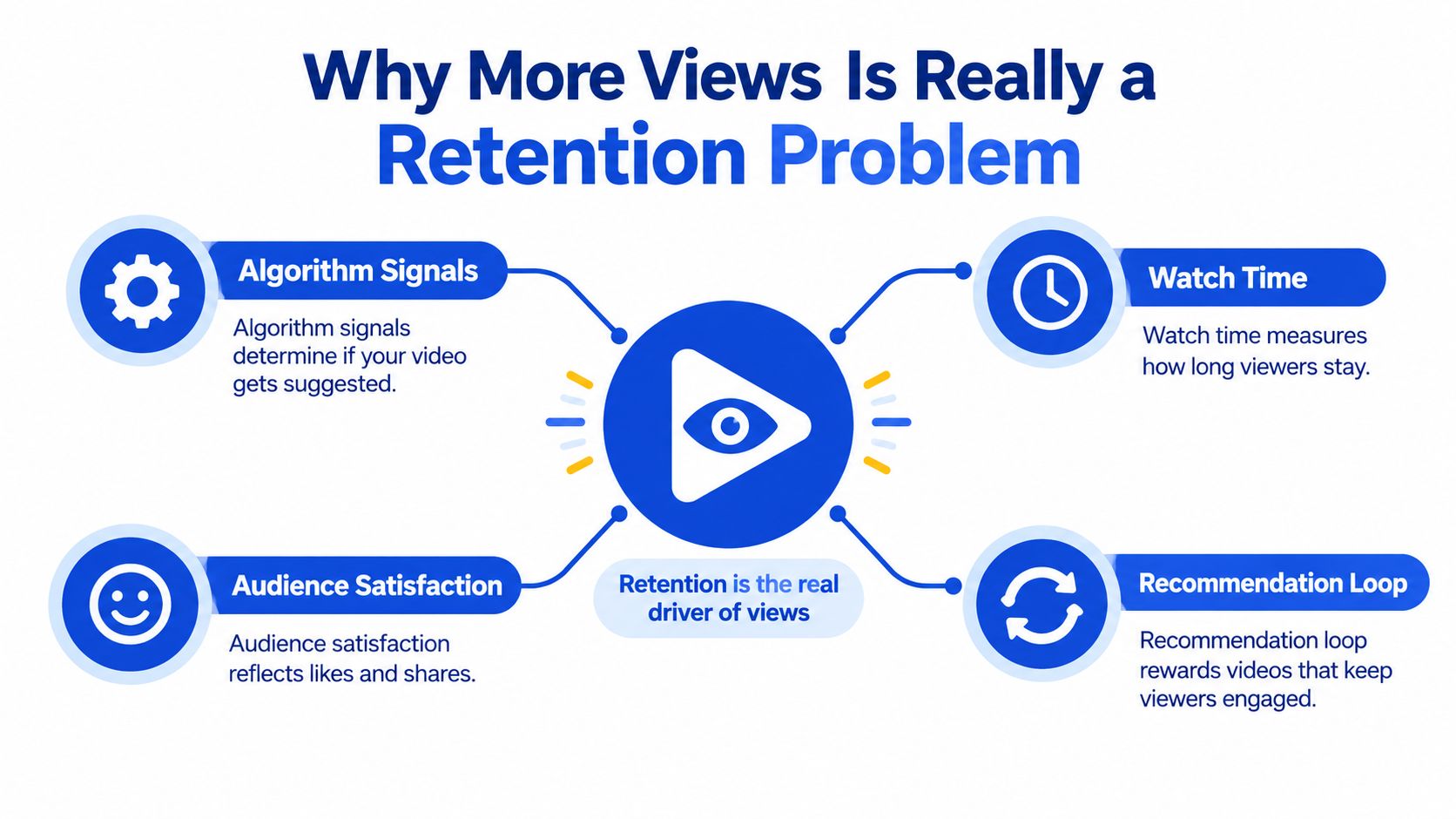
YouTube describes a quality signal called valued watch time. Viewer surveys help distinguish time spent on content people consider worthwhile from passive or disappointing viewing. That makes the full experience matter: the topic, title, thumbnail, opening, pacing, and payoff all need to tell the same story.
Use CTR as a clue, not a score
The title and thumbnail are your promise to a potential viewer. YouTube reports that half of all channels and videos fall between 2% and 10% CTR on counted impressions, but that range is a benchmark, not a universal goal (YouTube's explanation of impressions and CTR). A smaller group of loyal viewers may click more often, while broader distribution can lower CTR as a video reaches people less familiar with the channel.
YouTube's growth framework separates performance into appeal, engagement, and satisfaction. Appeal asks whether viewers click. Engagement asks whether they keep watching. Satisfaction considers whether the viewing experience feels worthwhile and whether viewers are likely to return. A useful package helps the right audience recognize the value of the video, rather than trying to attract everyone.
Practical rule: Read CTR and retention together. High CTR with weak retention can mean the package overpromises. Moderate CTR with strong retention can mean the video works, but its title or thumbnail needs a clearer pitch.
Use analytics to find where viewers leave, which topics hold attention, and whether the audience responds positively. Then make the next video's promise more accurate and its delivery more compelling. That's a more durable path to views than chasing clicks for their own sake.
Designing the First 30 Seconds for Retention
The opening needs to verify the click. If the title promises a result, show viewers that result or explain how you'll get there. Don't make them sit through a greeting, logo animation, or backstory that delays the reason they came.
YouTube's analytics guidance recommends reviewing the opening, aligning the title and thumbnail with the actual content, and bringing high-retention moments from later in the video forward (YouTube's guide to key moments for audience retention). Treat that opening as an editing decision, not a formula: it should quickly confirm the video's promise and make the next moment worth watching.
Make the retention graph useful
After publishing, look for sharp exits around the introduction, chapter changes, and calls to action. A dip isn't automatically proof that a segment is bad. Compare it with videos of similar length and format, and consider where viewers came from before deciding what to change.
If a compelling demonstration appears later, try moving its strongest moment closer to the start in your next video. If viewers repeatedly leave during a long setup, shorten it or make the context serve a clear purpose. Review several uploads before changing your whole style based on one graph.
Watch this overview for another perspective on YouTube growth and marketing:
Keep the package and the actual video in alignment. A bold title can earn attention, but a direct opening has to show viewers they're in the right place. Optimize CTR alongside retention, not in isolation.
Running Title and Thumbnail Tests the Right Way
Guessing which thumbnail will work is a weak process. Testing gives you a way to compare distinct ideas and learn whether the problem is the packaging or the video itself.
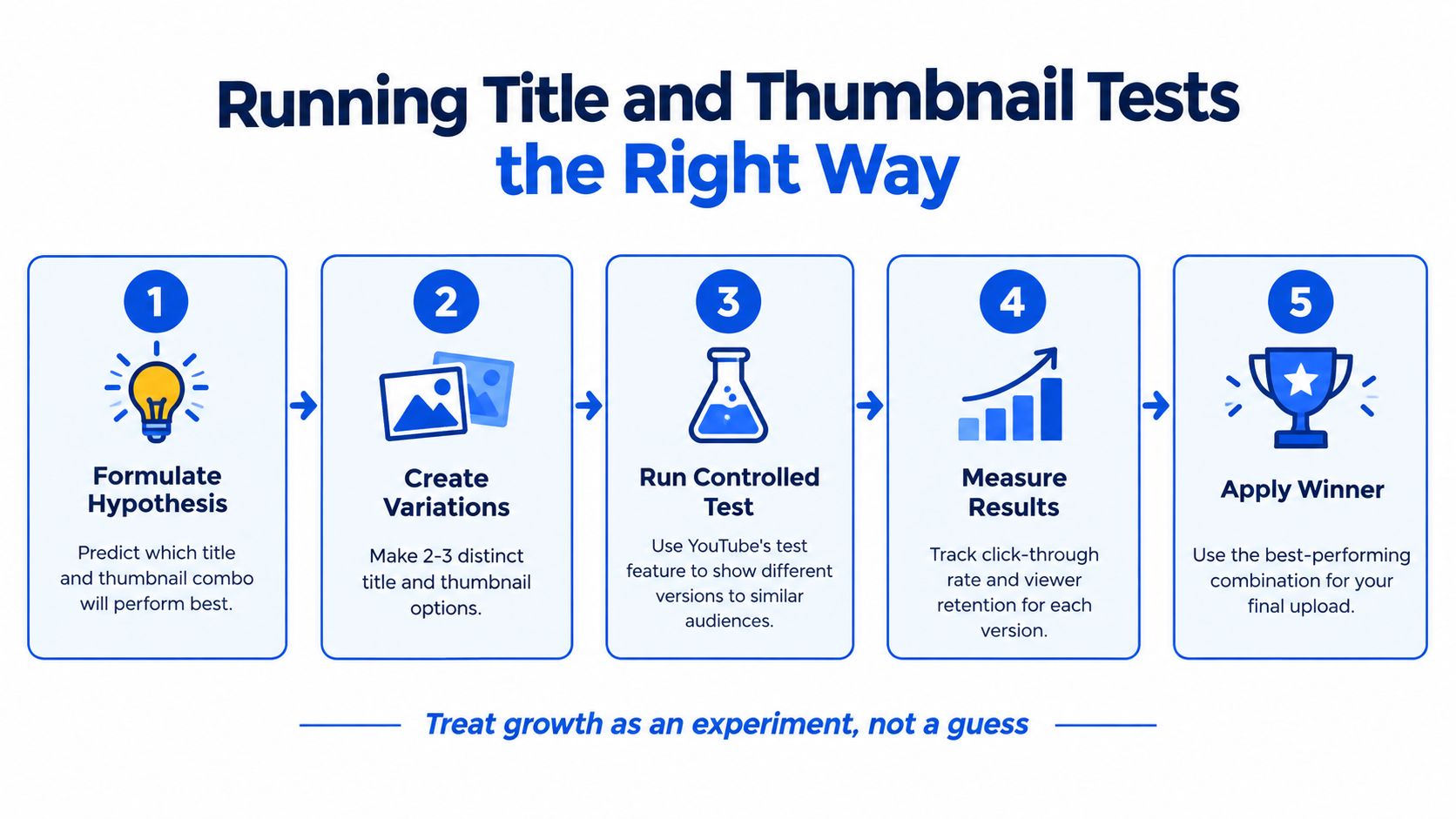
Eligible creators can use YouTube Studio's test-and-compare feature to compare up to three titles, thumbnails, or title-thumbnail combinations. YouTube selects the version producing the highest watch time, rather than the highest CTR. The test is designed to finish within roughly two weeks, and YouTube cautions that versions need meaningful differences to identify a winner efficiently (YouTube's guide to testing titles and thumbnails).
Test one idea at a time
Start with a hypothesis you can explain. For example, you might expect a clear outcome in the title to attract more qualified viewers than a curiosity-led title. Keep the video itself unchanged so you can focus on the packaging.
A practical process:
- Choose the question. Decide whether you're testing title clarity, thumbnail composition, or a particular combination.
- Make distinct versions. Change the idea, not just a word or color that viewers may barely notice.
- Let the test compare them. Use YouTube Studio's feature where eligible, and let it evaluate watch time rather than choosing based on the initial click response.
- Apply what you learned. Keep the strongest package, then check retention and audience response to understand why it worked.
The most clickable version isn't always the best growth choice. A title that earns fewer clicks but attracts viewers who watch longer may better serve the video. Treat each upload as evidence for the next experiment, not as a verdict on your ability to write titles.
YouTube SEO Surfaces That Actually Matter
SEO can help the right viewer discover a video, but metadata can't rescue a video that fails to deliver on its promise. Start with the topic and viewer intent, then use keywords to make that subject understandable to both people and YouTube.
A useful title names the video's value plainly. If you're explaining how to edit a podcast, “How to Edit a Podcast in DaVinci Resolve” makes the subject clear. A vague title may leave viewers unsure what they'll learn, while a title stuffed with variations of the same phrase reads awkwardly and can weaken the promise.
Put metadata in service of the video
Use the primary phrase naturally in the title and in the opening lines of the description. The description should explain what the viewer will get, not repeat the title in several forms. Add chapters when they truly help people find their way through a longer explanation, and use a pinned comment to point to a relevant next video or resource.
Tags are easy to overwork. Spend your attention first on the topic, title, thumbnail, and whether the video satisfies the searcher's intent. A viewer who finds the right answer and stays with the video is more valuable than a click that arrives through a perfectly repeated keyword and leaves disappointed.
Make suggested viewing part of the plan
Search isn't the only discovery path. A video can also reach people through browse and suggested surfaces, where the viewer may not be actively searching for the exact phrase in your title. Think about what someone who enjoys this video would want to watch next, and build clear connections between related topics, playlists, and end screens.
The strongest SEO choices don't sit apart from the content. A focused topic helps shape a specific title, the title sets expectations, and the video has to meet them. Use keywords to clarify the promise, not to disguise a weak one.
Cross-Platform Distribution Without Burning Out
Publishing on YouTube and then rewriting the same idea for every social network can turn distribution into a second job. The trade-off is real: manual writing gives you control, but switching between apps and adapting each post can drain the momentum you need to keep publishing.
A voice-first workflow starts with the video and adapts its ideas for each platform. The important distinction isn't that AI generates copy. It's whether you'd post the result. If every draft sounds generic and needs rewriting, the tool hasn't solved the problem.
| Dimension | Manual Workflow | Voice-First Batch Workflow |
|---|---|---|
| Starting point | Rewatch, take notes, and write each post separately | Start from the YouTube video and adapt its ideas |
| Platform fit | Rewrite manually for each audience and format | Generate distinct drafts suited to different networks |
| Voice | Rely on memory and repeated editing to keep your tone | Use a tool that learns from your existing writing |
| Review and publishing | Switch between apps, revise, and post one by one | Review drafts together, edit them, then schedule or publish |
| Main trade-off | More control over every line, more manual effort | Faster batching, with a need to check tone and accuracy |
Yelly Nelly is one example of a voice-first repurposing tool: it uses a YouTube URL or video upload to create platform-native drafts informed by the creator's existing writing, with review and publishing in the same workflow. That approach can reduce the friction of sharing a video across channels, but you should still check each draft before it goes live. A post that doesn't sound like you can weaken the trust you're trying to build.
For a closer look at adapting video content into other formats, see this guide to automating video editing and repurposing. Choose a workflow you'll keep using, not one that produces a large batch of posts you don't want to publish. Distribution helps the video find new viewers, but the post still needs to sound human and offer a reason to watch.
Reading Analytics to Inform the Next Video
Analytics are useful when they lead to a decision. Don't open Studio just to see whether views went up. Compare the video's package, the audience's viewing behavior, and the paths that brought people in, then turn what you learn into a specific change for your next upload.
Read the metrics as a connected story
Start with impressions CTR to assess whether the title and thumbnail invite the right click. Then check average view duration and average percentage viewed to see whether people stay with the video. Returning viewers can help you understand whether your topics and delivery give people a reason to come back, while end-screen click-through can show whether viewers continue to another video.
Avoid treating any one of these as a universal score. A long tutorial and a short commentary video have different viewing patterns. Compare similar formats and use the numbers to spot changes, not to declare a video successful or failed on a single metric.
Separate traffic sources before acting
Search viewers arrive with a particular question. Browse viewers may respond to a topic and package without having searched for it. Suggested viewers encounter your video alongside other content. Those audiences don't necessarily make decisions in the same way, so an overall average can conceal what's working.
When one source performs differently, ask what its viewers expected and whether the video meets that expectation. A search package may need a more explicit answer, while a video aimed at browse viewers may need a stronger visual idea. Use that diagnosis to choose among three actions: keep the elements that hold attention, test a new package where clicks lag, and cut or revise sections associated with repeated exits.
This turns a post-publication review into a working plan, rather than a report you glance at and forget. For broader systems that connect content production and distribution, explore these content marketing automation tools. Use analytics to make the next video more intentional, not to chase a number without understanding the audience behind it.
Your Launch Week Checklist
A launch goes better when each task has a clear place in the workflow. Make the video ready first, confirm that its opening delivers on the title, then prepare distribution and decide when you'll review the results.
Before publishing
- Finish the cut. Remove sections that don't advance the viewer's goal, and make sure the video delivers the outcome its topic promises.
- Choose the package. Write a specific title and create a thumbnail that communicates one clear idea. If you're uncertain, define a testable alternative rather than changing several things at random.
- Review the opening. Watch the first moments as if you didn't know the creator. Does the video confirm why the title and thumbnail earned your attention?
- Prepare the description and viewing path. Explain the video clearly, add useful chapters where they help, and connect it to a relevant next video.
On publish day and after
- Schedule the release. Check the title, thumbnail, description, captions, and end screen before the video goes live. Use a social media scheduling workflow to plan the supporting posts around the upload.
- Batch distribution. Adapt the video's strongest ideas for the platforms where your audience spends time. Review the drafts so they sound like you and give people a reason to watch.
- Review the response. Look at CTR, retention, traffic sources, returning viewers, and end-screen clicks. Decide what to keep, what to test, and what to remove from the next edit.
A single upload doesn't need to go viral to teach you something useful. Growth comes from carrying the best lesson forward and improving the next video.
Yelly Nelly turns a YouTube video into platform-native social drafts shaped around your voice, with review, scheduling, and publishing in one workflow. If distribution keeps slipping after you finish editing, try Yelly Nelly and see whether batching your next video's promotion makes it easier to stay consistent.